Secure Bitcoin with the built-in wallet, or install Foundation's optional Legacy Mode for supported Ethereum and Solana-based assets. Passport Prime also protects your 2FA codes, security keys, important files, and additional seeds, all in a single, beautifully designed package. Start below with a tour of the Passport Prime home screen, or browse for something specific via the left sidebar.
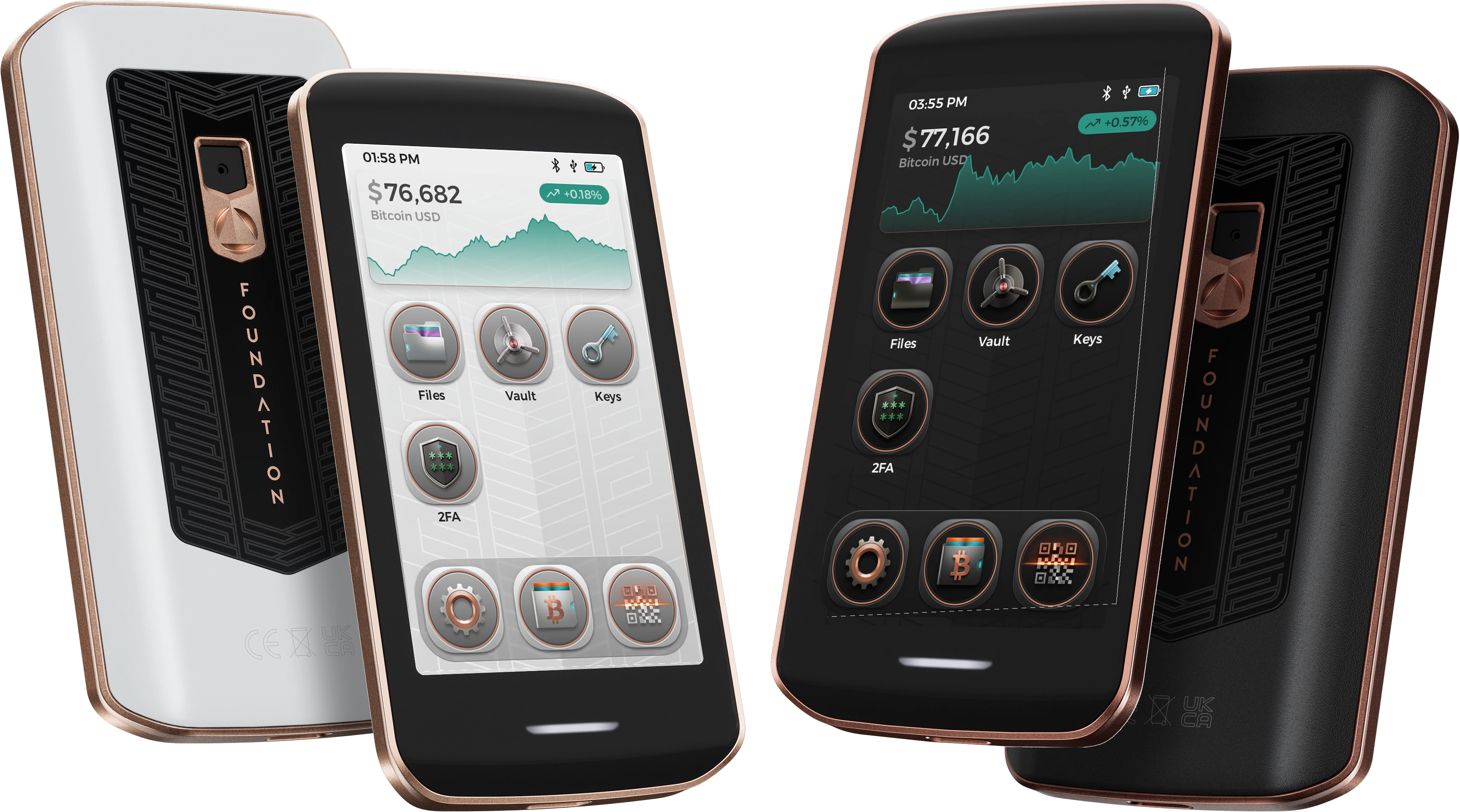
The Home Screen
The home screen, also known as the launcher, is the first thing you see after unlocking Passport Prime. It is your jumping-off point for every app on the device, and it houses a few handy controls of its own.
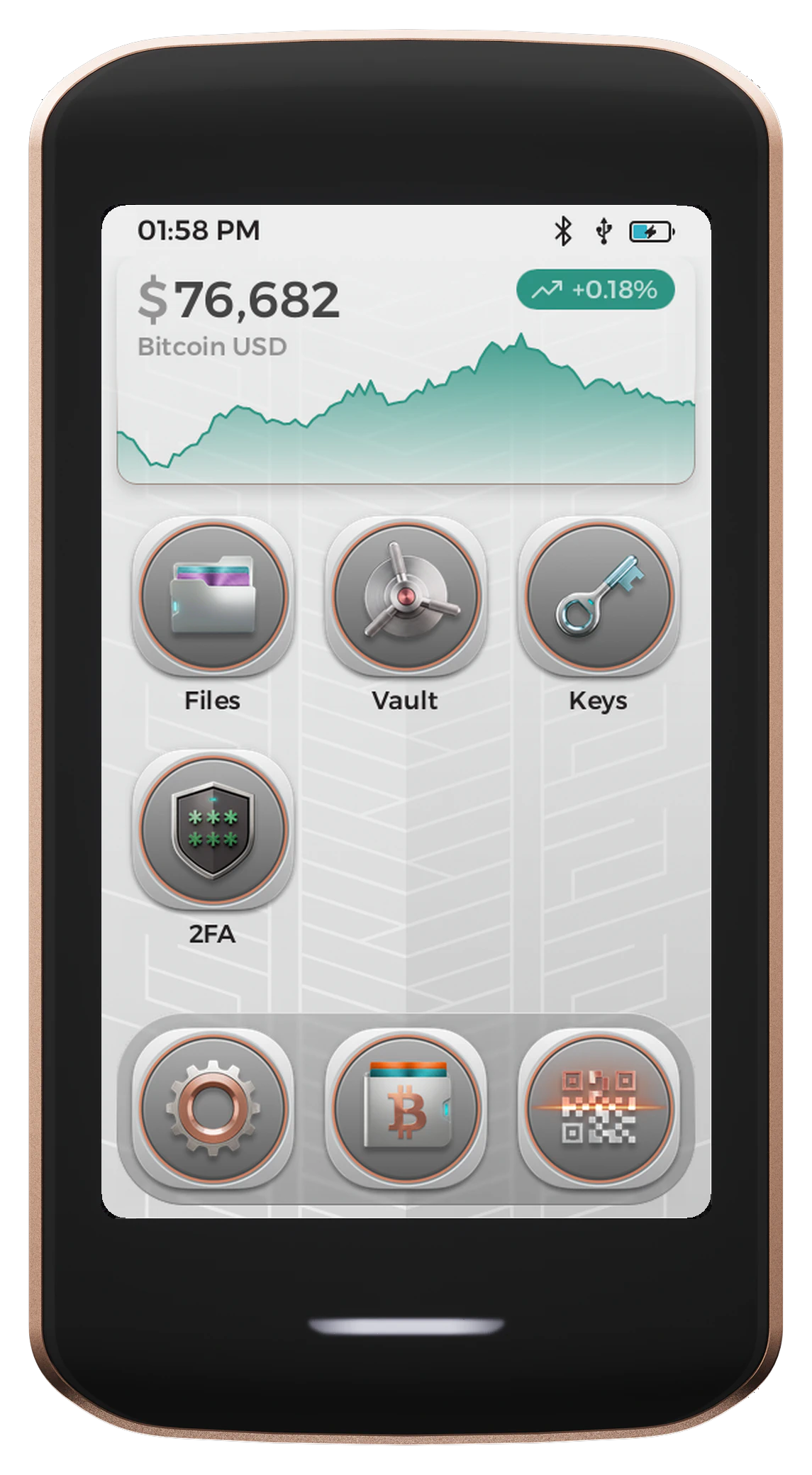
App Tiles
Each app installed on Passport Prime appears as a tile on the home screen. Tap any tile to open that app. When one or more apps are running, you can return to the home screen at any time using the Virtual Home Button . To close every open app at once, swipe up from the Virtual Home Button and tap Close All.
The Dock
The dock sits along the bottom of the home screen and keeps three apps one tap away on every page. Out of the box those are:
- Settings, the gear on the left, opens Settings where you can check your Envoy connection, manage apps, and change device options
- Bitcoin, in the middle, opens the Bitcoin Wallet app
- Scan QR, on the right, opens the Universal QR Scanner described below
The dock is not fixed. You can swap any of these for another app, or drag one out and leave a gap, by rearranging your apps .
Rearranging Apps
App icons are not fixed in place. Press and hold any icon for about half a second and the icons begin to jiggle, which means the home screen has entered rearrange mode. Keep your finger down and drag the icon wherever you want it, then lift to drop it.
While rearrange mode is active you can:
- Move an app anywhere on the home screen
- Drag an app into the dock, or drag one out of the dock and back onto the home screen
- Spread apps across pages if you have more than one screen of them. A page indicator appears below the icons once a second page exists, and you can swipe between pages as usual
If you drop an app into a dock that is already full, the icon it lands on is swapped back out onto the home screen. Filling a page works the same way, pushing the last icon on that page over to the next one.
Apps you have installed yourself show an X badge in rearrange mode. Tap the badge, then tap Delete in the Remove App? dialog to remove the app from Passport Prime. Built-in apps can't be removed.
To leave rearrange mode, tap an empty area of the home screen, or press and hold an icon again.
Bitcoin Price Graph
The home screen displays a live Bitcoin price graph. Scrub the graph with your finger to move back through time and view older prices, then release to return to the latest price. The price data comes from Envoy. The graph shows Disconnected when Passport Prime is not connected to Envoy, and Loading Data… while it waits for price data.
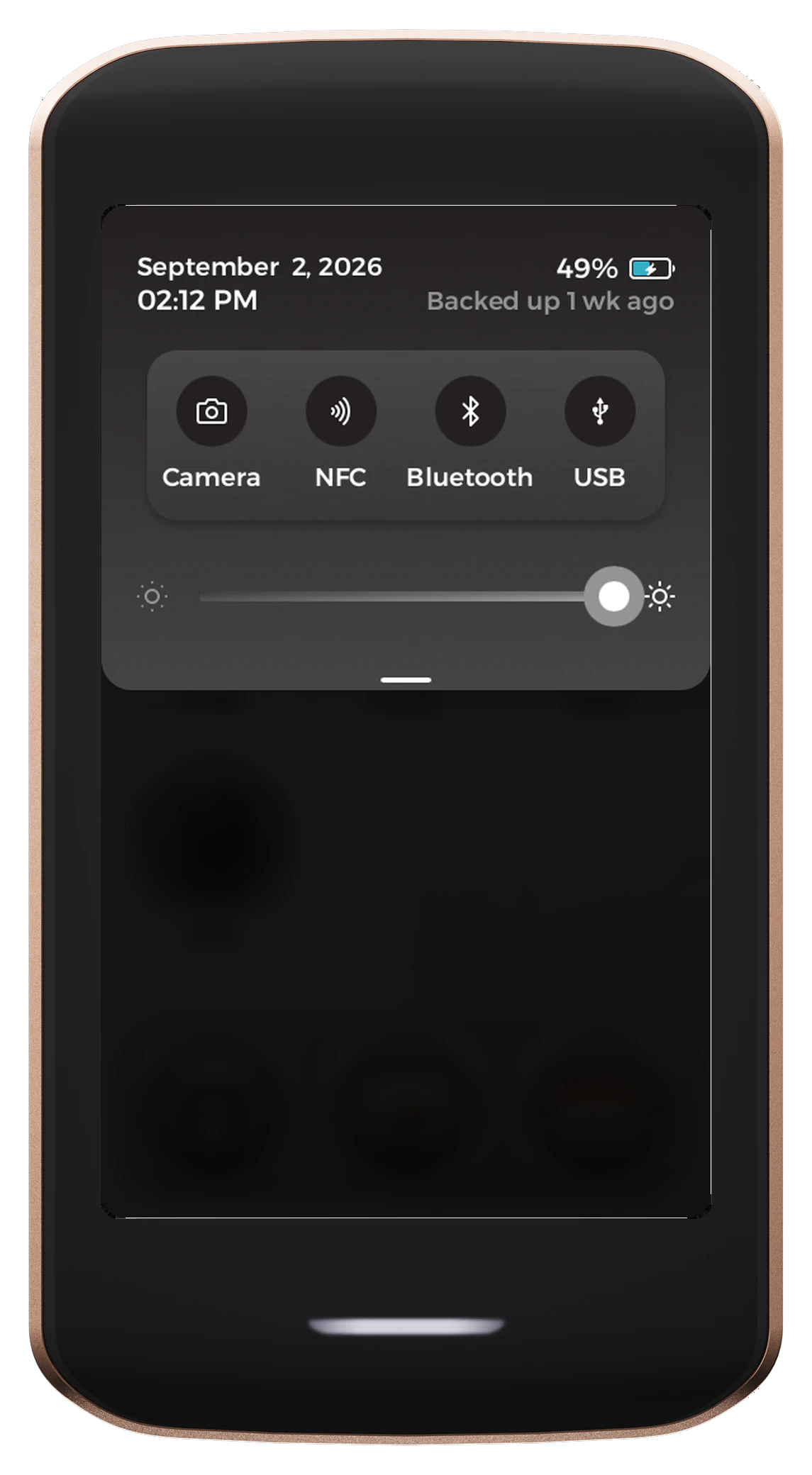
Control Center
Drag down from the top of the home screen to open the Control Center, where you can quickly access common device controls.
Universal QR Scanner
Tap Scan QR on the right of the dock to open the Universal QR Scanner. Scan any QR code and Passport Prime will automatically recognize what it is and route it to the correct app for you, whether that is a Bitcoin address to verify, a transaction to sign, a multisig configuration, a 2FA code, or an item to import into the Vault.
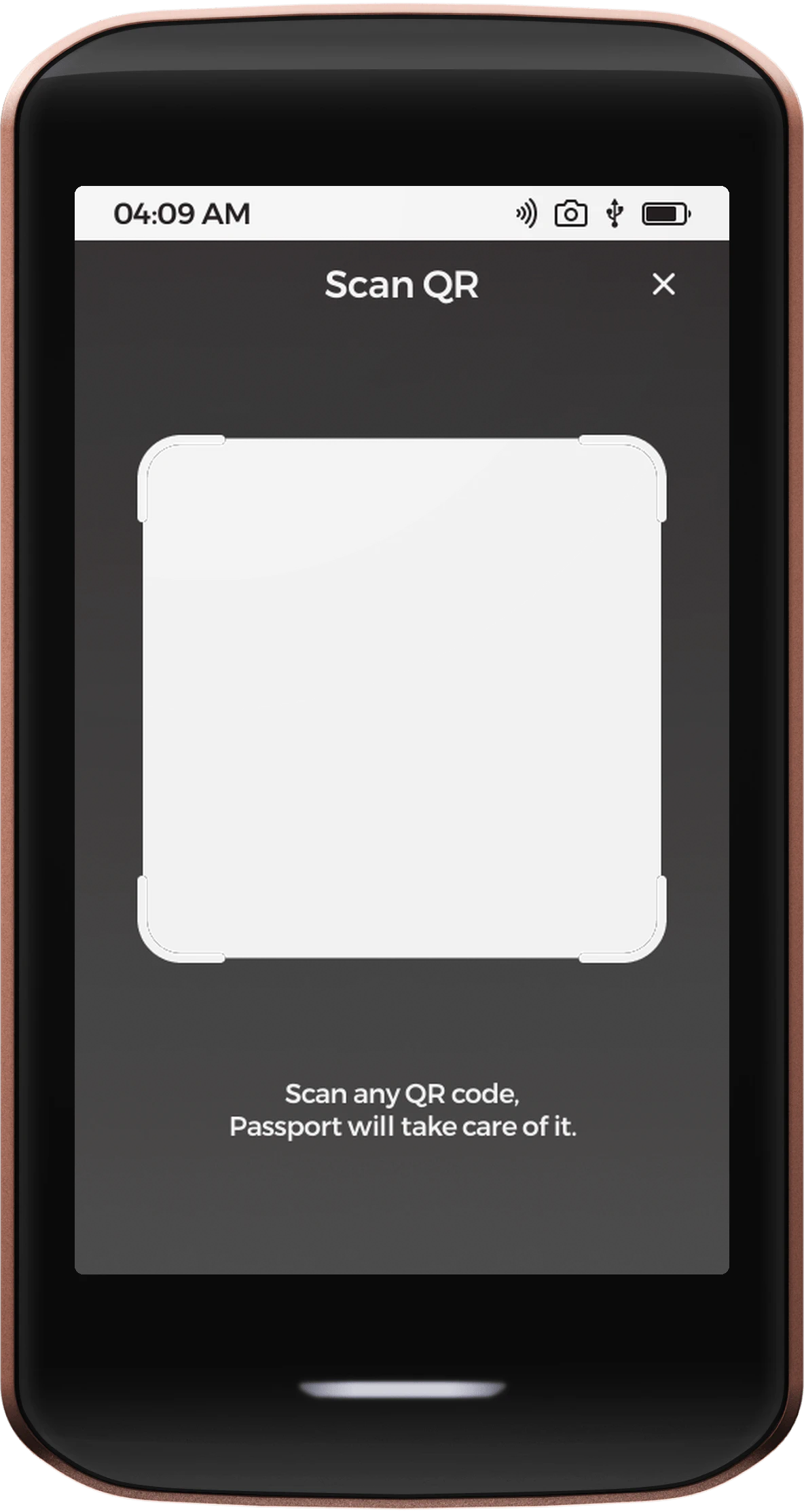
The scanner is powerful and forgiving. It reads standard QR codes as well as inverse-colored codes and other exotic variants, and it understands both single and multi-part URs.
Because the Universal QR Scanner routes automatically, it is often the fastest way to start a task. Just scan, and Passport Prime takes you to the right place.
Popular Links
Other Useful Links
Links to other Passport Prime related information.