Passport Prime pairs with Envoy out of the box over QuantumLink Bluetooth. New accounts created on Prime are automatically synced to Envoy, and transactions flow between the two without scanning QR codes.
For another companion wallet or multisig coordinator, use its documented Passport Prime integration. Generic QR or JSON support alone does not establish compatibility with Prime's export format or signing workflow. Passport Core integrations do not establish Passport Prime compatibility.
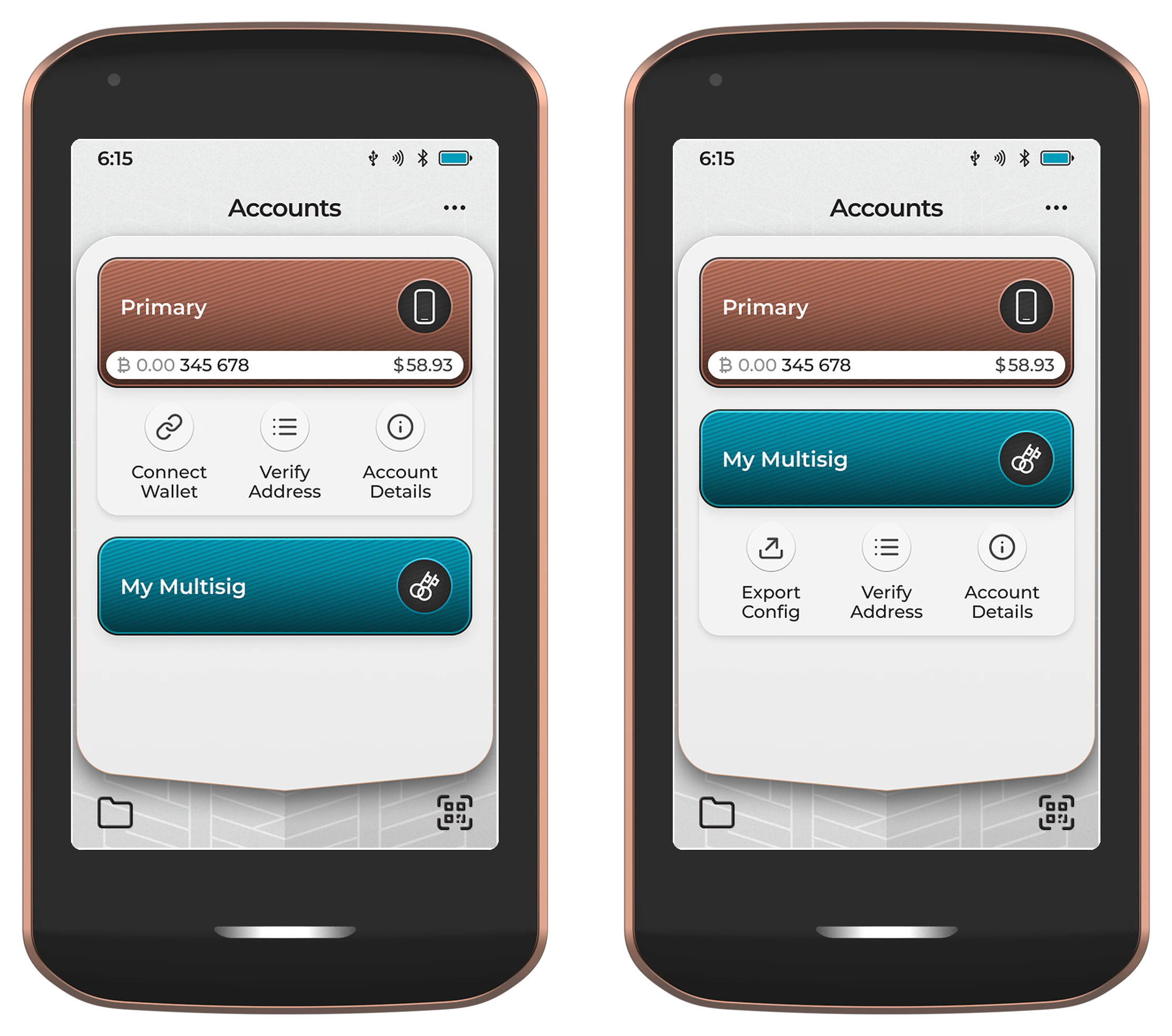
Connecting to an external wallet
- Open the Bitcoin Wallet app on Passport Prime and tap the account you want to connect.
- On the account menu, tap Connect Wallet.
- If your firmware presents a wallet-selection screen, select the actual companion wallet you are connecting. Use the transfer format offered for that integration. Do not select an unrelated wallet as a workaround.
- Follow the companion wallet's Passport Prime import instructions. Where it supports Prime's animated descriptor QR, scan that code to import the public account or add Prime as a cosigner. Do not assume the companion wallet has a QR reader.
- Construct transactions in the companion wallet and use its supported Prime workflow to transfer unsigned and signed transactions, such as QR codes or transaction files on external storage.
If your companion wallet is not listed or its Prime import/signing instructions are unavailable, confirm compatibility with Foundation support before proceeding. This guide does not establish a supported Prime–Wasabi workflow. Wasabi's watch-only documentation describes limitations, rather than a general Prime QR integration.
Multisig configurations
For multisig accounts, use the Export Config button on the account menu instead. Prime displays the full multisig configuration (script type, threshold, and all cosigner xpubs) as a QR or file that the other cosigners' wallets can import.
See Bitcoin Wallet - Import Multisig for the reverse flow (importing a multisig setup created elsewhere onto Prime).